
Remote work lets you work from anywhere, as long as "anywhere" looks like your home network.
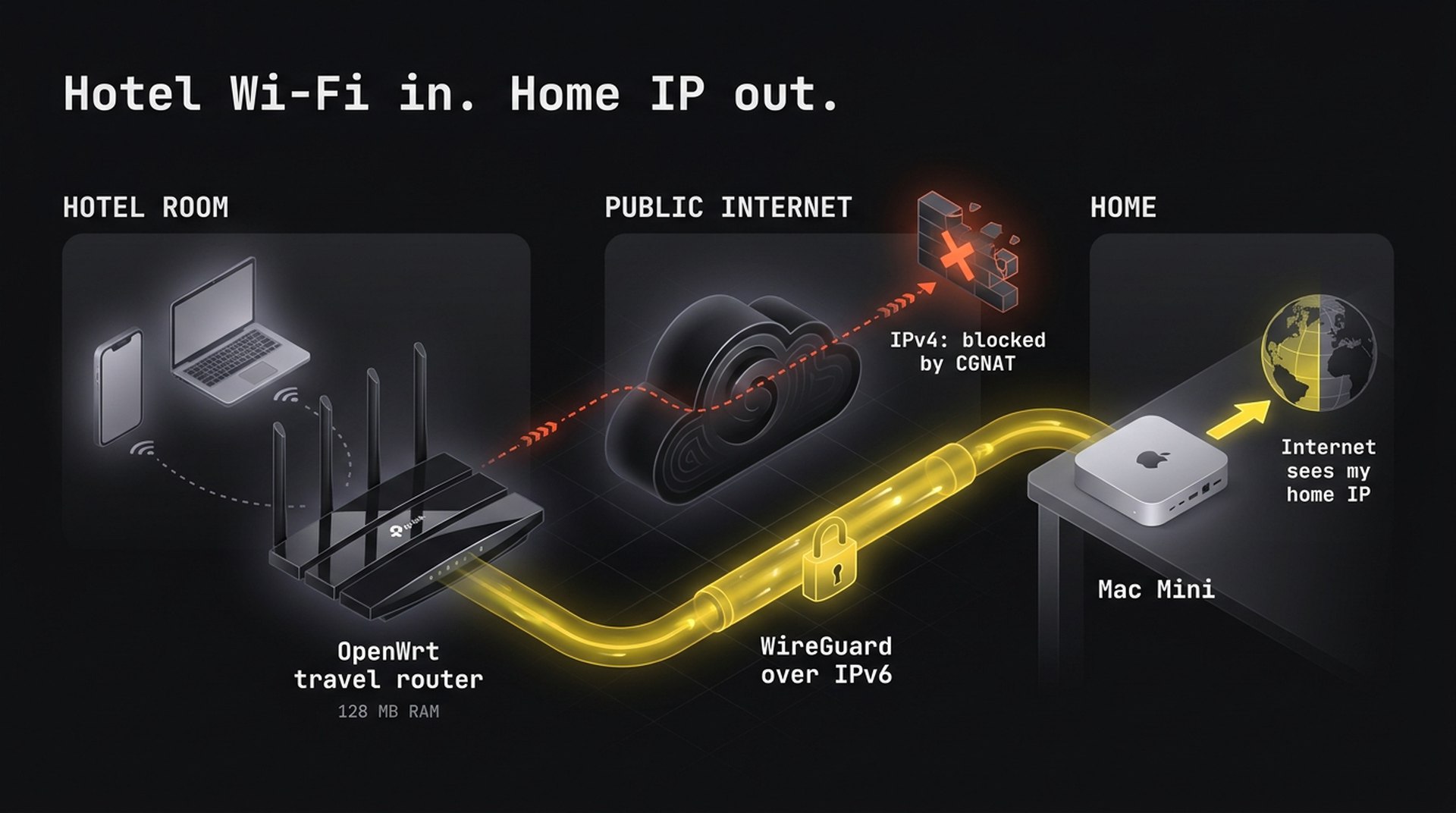
Open a work laptop on hotel Wi-Fi and SSO flags the login. Route it through a commercial VPN or a cloud VM and IT asks why you're suddenly in a data center in Virginia. I wanted every device I travel with to sit behind one private hotspot in my bag, with all of its traffic going home first. To the rest of the internet, I never leave my desk.
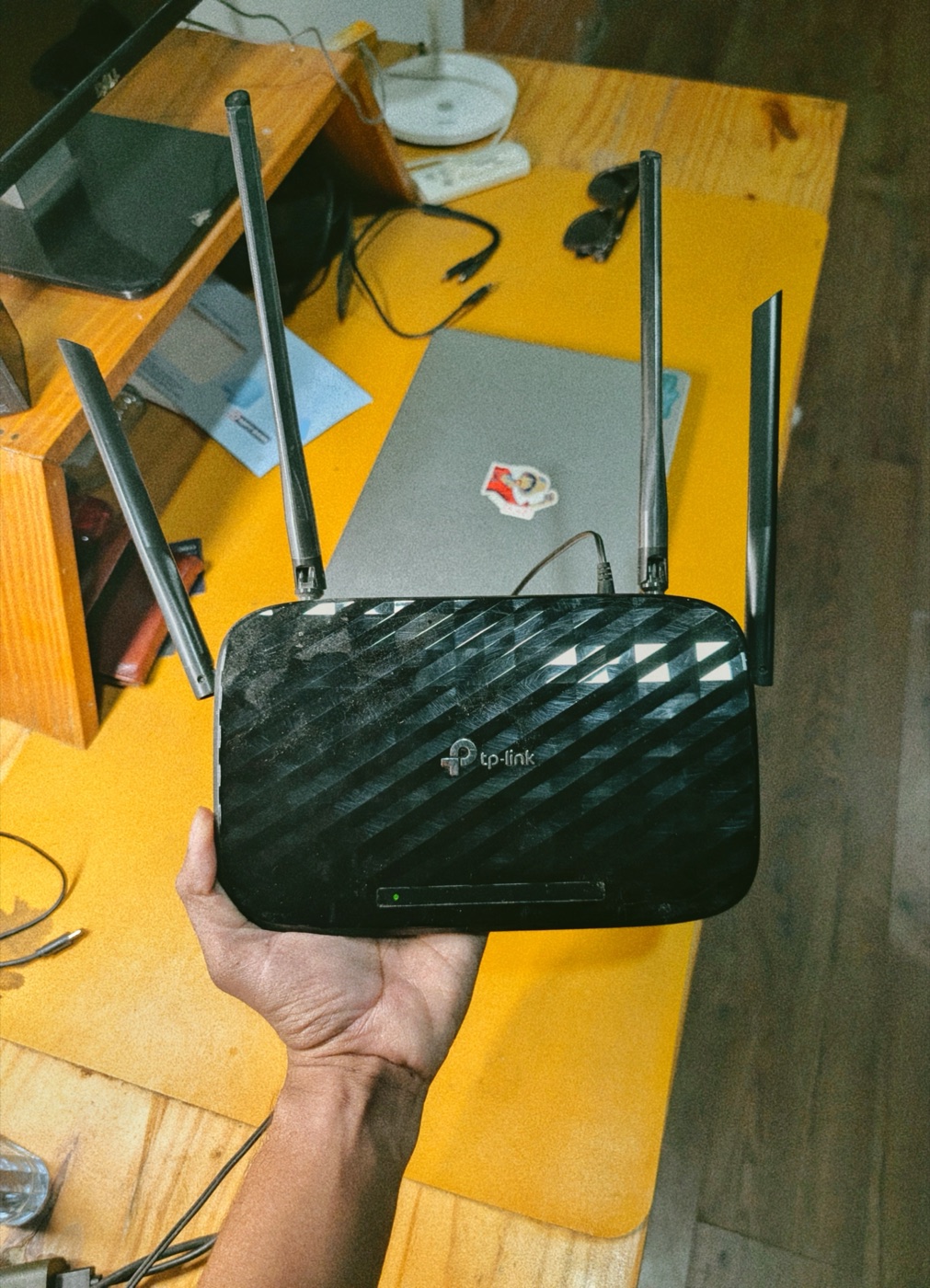
Then my ISP swapped my router and left the old TP-Link Archer C6 v2 in a drawer. That became the project.
What I built
Phone / laptop ──Wi-Fi──▶ Travel router ──WireGuard over IPv6──▶ Mac Mini at home ──▶ Internet
                           (joins hotel Wi-Fi)                    (home IP address)
- Hardware: TP-Link Archer C6 v2, 128 MB RAM, 56 KiB of free flash
- Firmware: OpenWrt 25.12
- Tunnel: in-kernel WireGuard to my Mac Mini, over IPv6
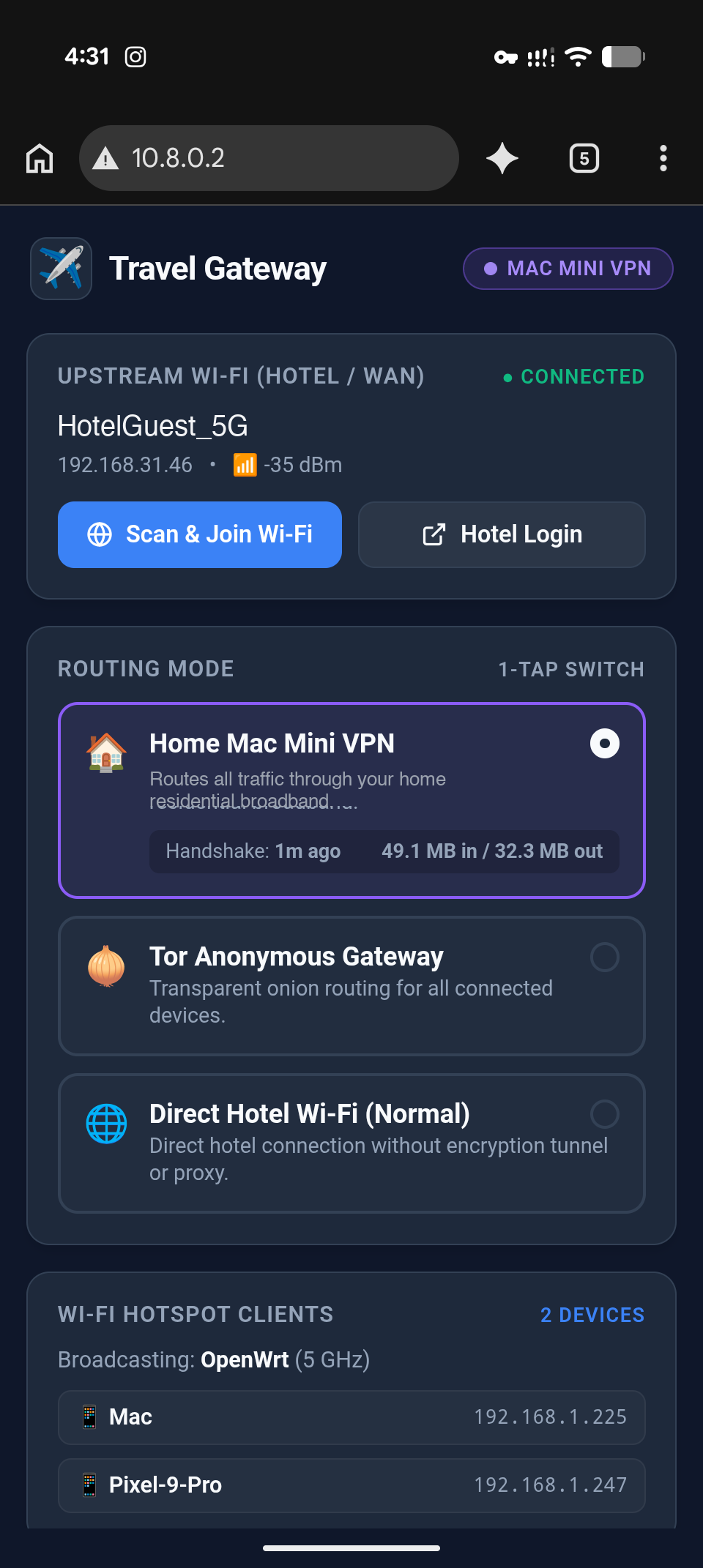
- UI: a 5.6 KB gzipped web app for picking hotel Wi-Fi and switching modes in one tap
It took four tries to get there.
1. Flashing it with no Ethernet port
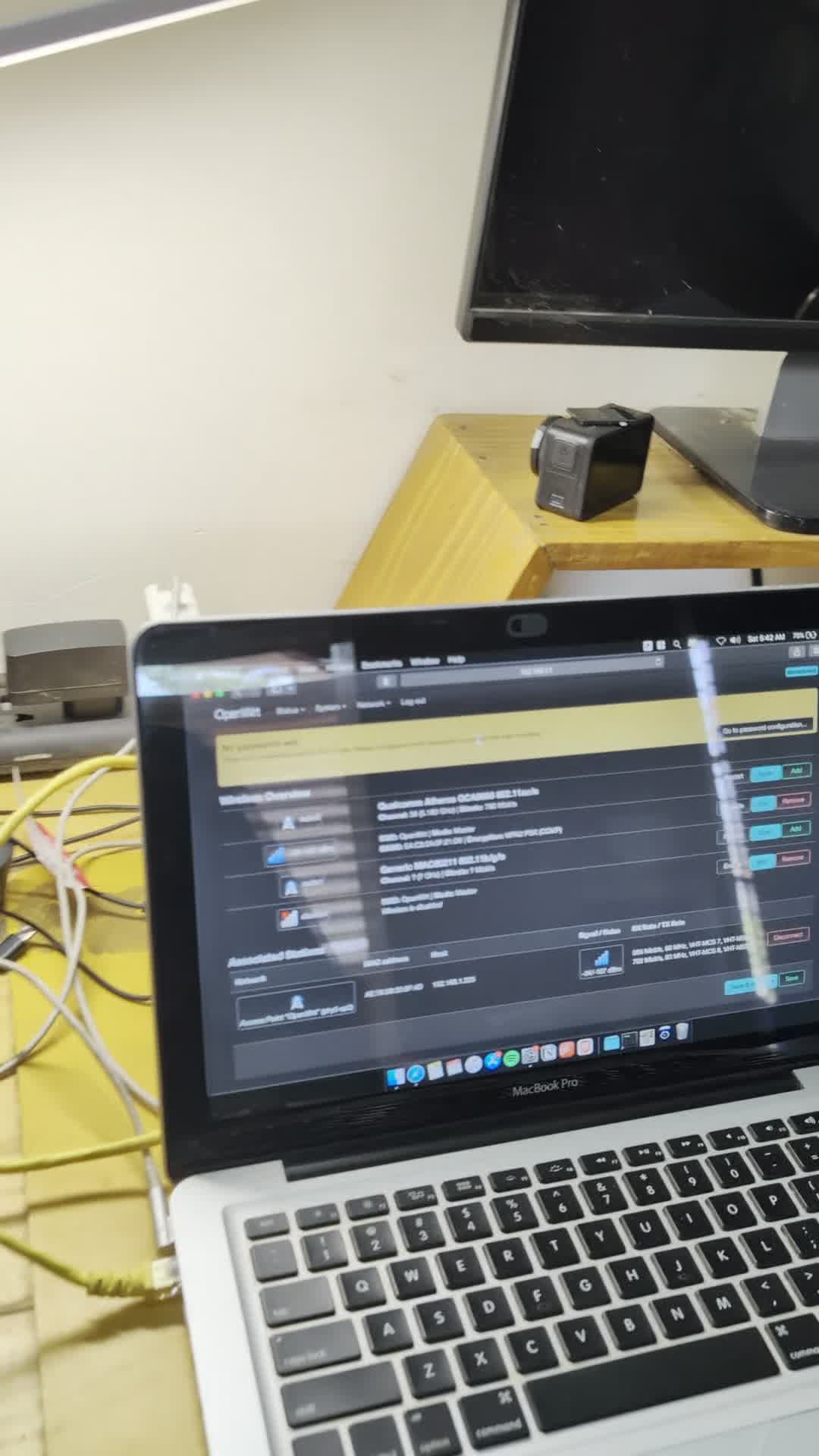
Flashing OpenWrt on this router needs a wired connection. My MacBook Pro has no Ethernet port, and my USB-C dongle had disappeared.
What I did have was a mid-2012 MacBook at the back of a closet, with a real RJ45 port. I set a static IP, ran a cable to the router's LAN port, and a few minutes later OpenWrt was running.
2. First plan: Cloudflare Tunnel. It crashed the router.
My home connection is behind CGNAT: no public IPv4 address, so I can't forward a port. My first idea was to avoid inbound connections altogether: run a Cloudflare Tunnel from the Mac Mini and a Go-based proxy (gost) on the router.
It failed twice:
- Cloudflare rejected it. Its edge returns
400 Bad Requestfor raw HTTPCONNECTtunneling. - The kernel killed it. On startup, the Go runtime reserved 631 MB of virtual memory on a router with 128 MB of RAM:
oom-kill: global_oom, task=gost, total-vm:631484kB, anon-rss:15096kB
Wi-Fi dropped, and the router froze. On top of that, only 56 KiB of the flash was free. Big userspace binaries were never going to fit.
3. The fix: IPv6 gets around CGNAT
CGNAT only applies to IPv4. I turned on IPv6 in my home mesh router's settings, and the Mac Mini immediately got a public, globally routable IPv6 address.
That meant I didn't need a proxy at all. WireGuard is built into the Linux kernel, so it needs no daemon and almost no RAM. Because there's no room for it on flash, the router downloads the WireGuard kernel module into RAM (/tmp) when I switch on VPN mode, loads it, then connects straight to the Mac Mini's IPv6 address on UDP 51820.
interface: wg0
  latest handshake: 14 seconds ago
  transfer: 49.15 MiB received, 32.34 MiB sent
No crashes, no packet loss, and all traffic leaves through my home connection.
4. A 5.6 KB portal for hotel Wi-Fi
The tunnel worked, but joining hotel Wi-Fi meant logging into LuCI on a phone and pinch-zooming through four tabs. With 56 KiB of flash, there was no room for Node, Python, or a build step, so I kept it small:
- UI: a single HTML file with inline CSS and plain JavaScript. 21 KB raw, 5.6 KB after
gzip -9. - API: a 2 KB POSIX shell CGI script that turns
iwinfoscan output into JSON with BusyBoxawk. - Captive-portal detection: the router answers the connectivity checks Android and iOS run (
/generate_204,captive.apple.com), so the phone shows "Sign in to network". Tapping it opens the portal. - Three modes, one tap each: Home VPN, Tor, or direct hotel Wi-Fi.
5. The bug that hid the router's own address
Then a strange one: http://10.8.0.2 loaded, but http://192.168.1.1 timed out. The router couldn't serve its own LAN address.
The cause was my own policy routing. Everything from the LAN went to a table whose only route was the tunnel, including requests to the router itself, which went to the Mac Mini instead. Two higher-priority rules fixed it:
ip rule add pref 90 iif br-lan to 192.168.1.0/24 lookup main
ip rule add pref 91 iif br-lan to 10.8.0.0/24 lookup main
How I use it now
- Plug the router into a power bank or a hotel outlet.
- My phone joins the private hotspot and shows "Sign in to network."
- Tap it, pick the hotel Wi-Fi, then tap Home Mac Mini VPN.
- Every device now uses my home connection.
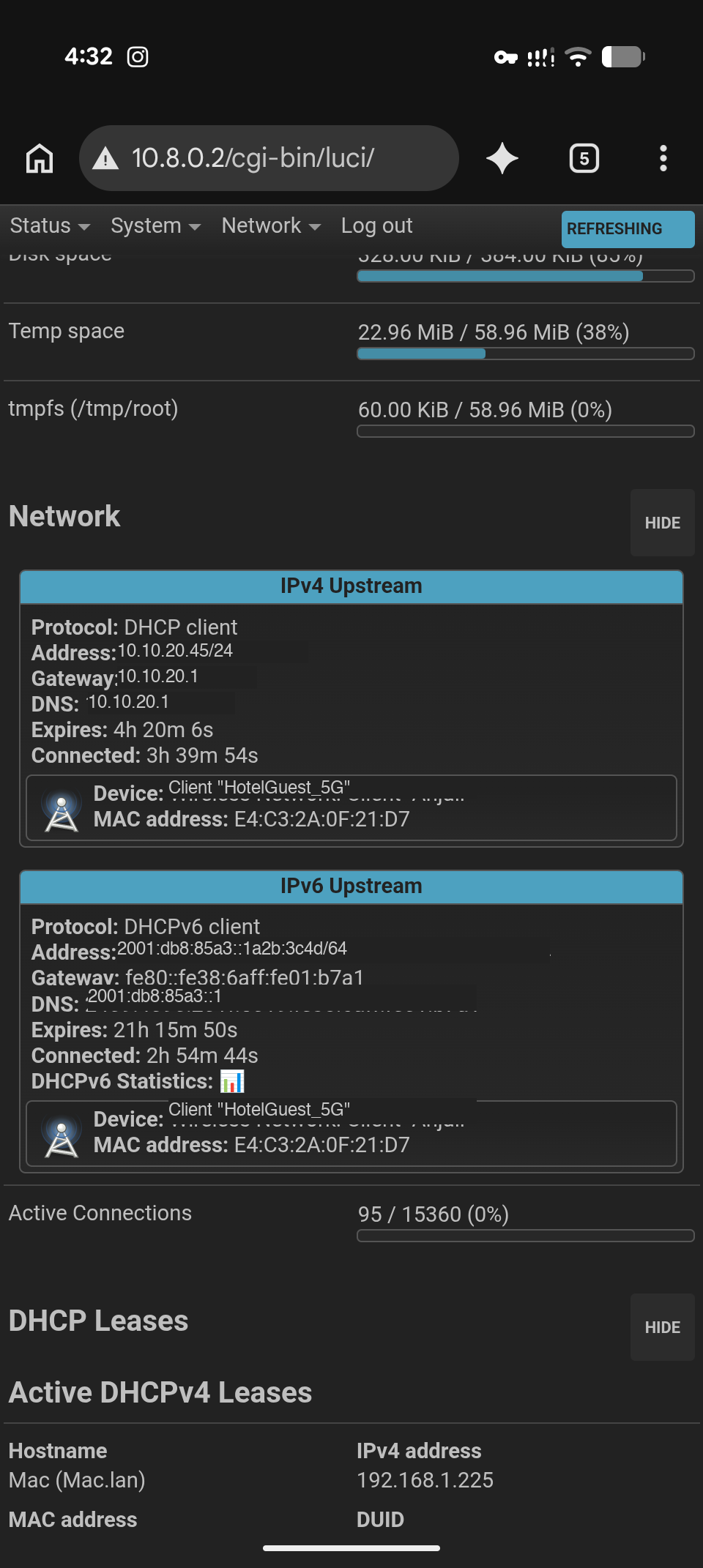
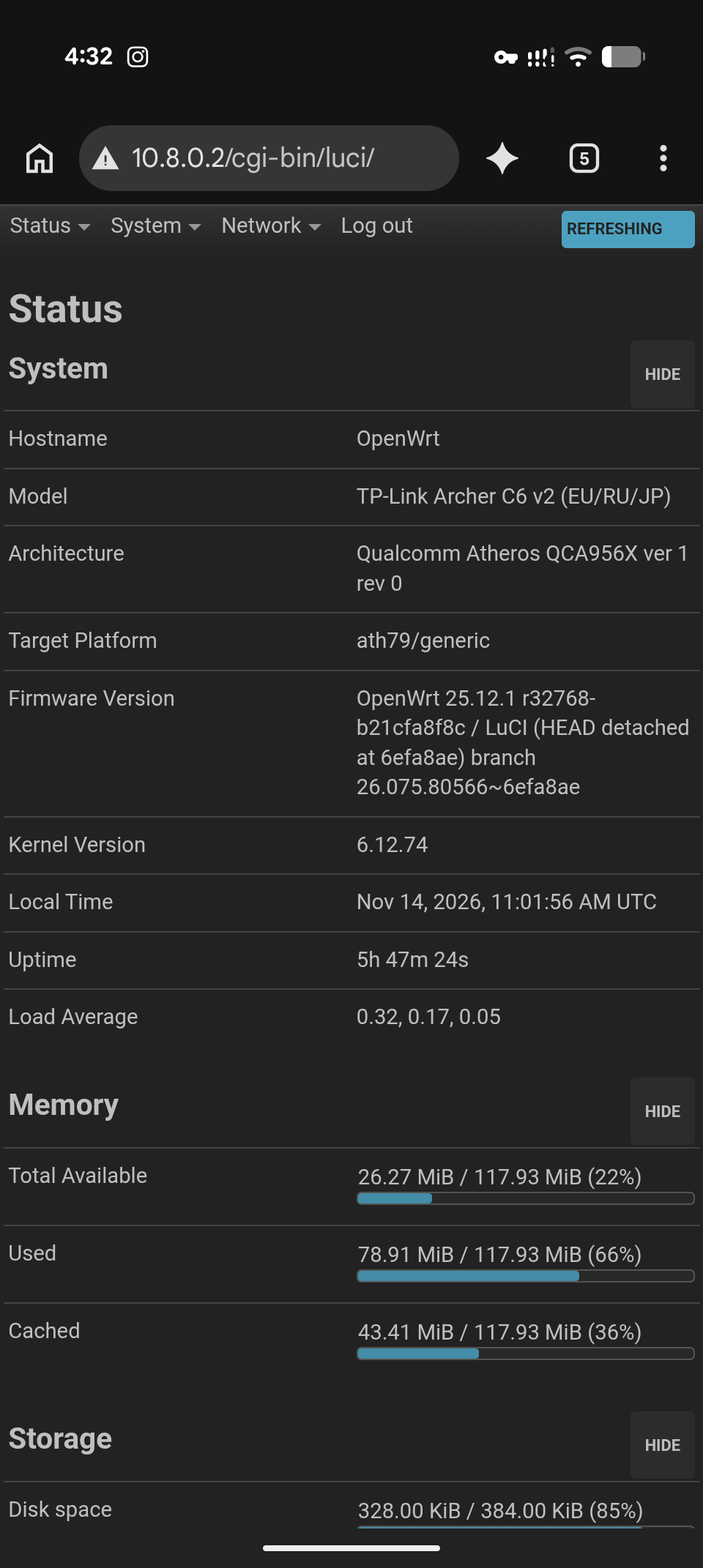
The catch: the tunnel needs IPv6 on both ends. If a hotel network is IPv4-only, it can't reach home directly. In that case I can still use the direct or Tor mode.
A router headed for e-waste now lives in my backpack.
Code: the portal, CGI scripts, macOS WireGuard server scripts, and OpenWrt config templates are all open source at Kanakjr/openwrt-travel-gateway.